
Focus app for iPhone
Focus Atelier
Put your phone down and your pixel critter paints. Every minute of focus turns into paint to decorate a cozy house.
Available on the App StoreFree, with optional in-app purchases. For iPhone.
How it works
Three steps, no account.
-

Put your phone down
Pick a timer from 5 to 120 minutes, or the stopwatch, and a tag. Then set the phone aside: you can even lock the screen.
-
Your critter paints
While you focus, your critter paints at the easel, pixel by pixel. Every session of 20 minutes or more finishes a painting for your gallery.
-

Paint decorates the house
1 drop of paint for every minute of a completed session. Spend it on decorations, colors and hats, and unlock new rooms.

The one rule
Locking the screen is fine. Opening another app for more than 10 seconds smudges the painting.
In the first 10 seconds you can cancel for free. With the phone resting on a table or a stand, picking it up shows a 10-second warning; you can turn this off in Settings.
Inside the app
Real screens from Focus Atelier on iPhone. Swipe to see more screens.
-
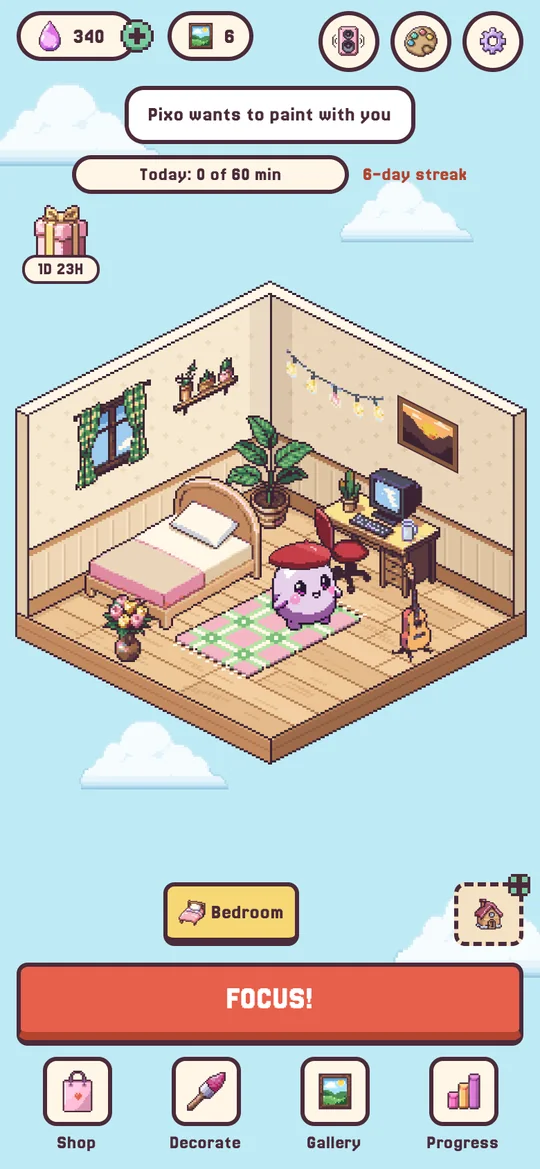
Your room Your critter wanders around the room you decorated. -
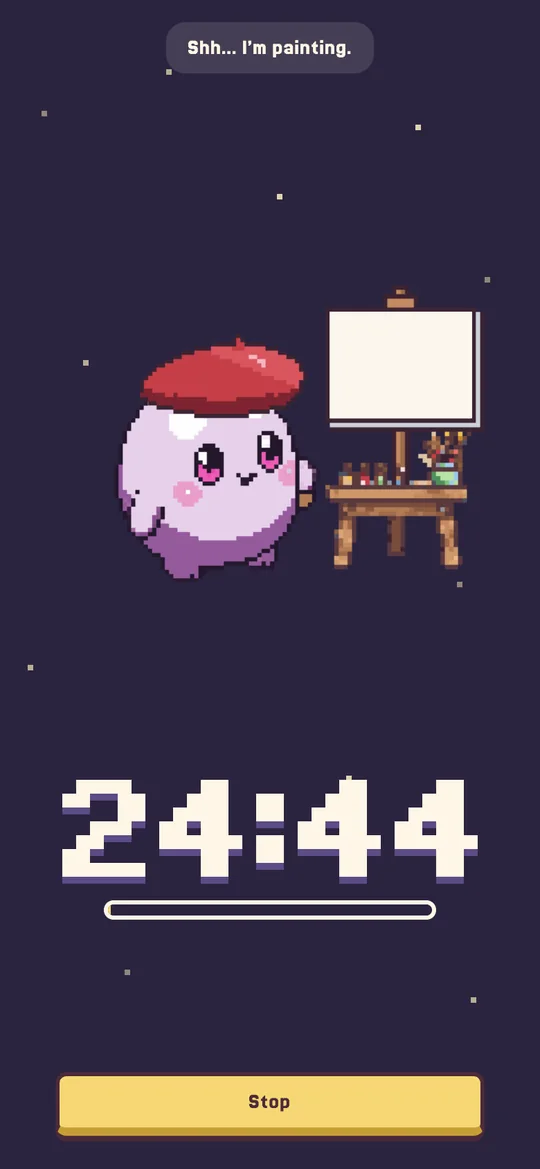
Focus session The timer runs while the painting comes to life. -
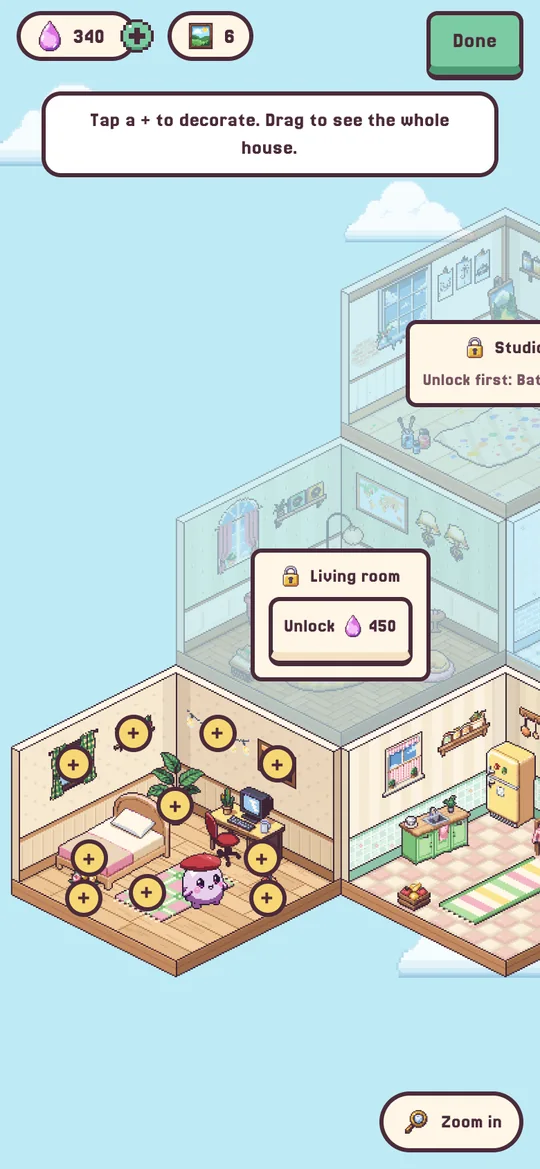
Decorate Six rooms to unlock and fill with color. -
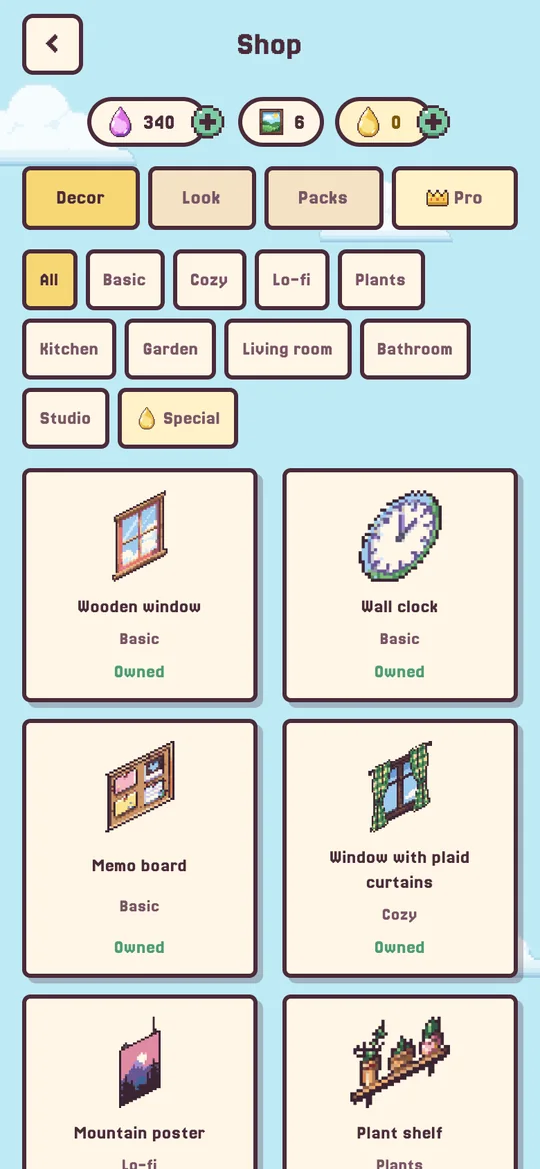
Shop More than 100 decorations in 10 themes. -
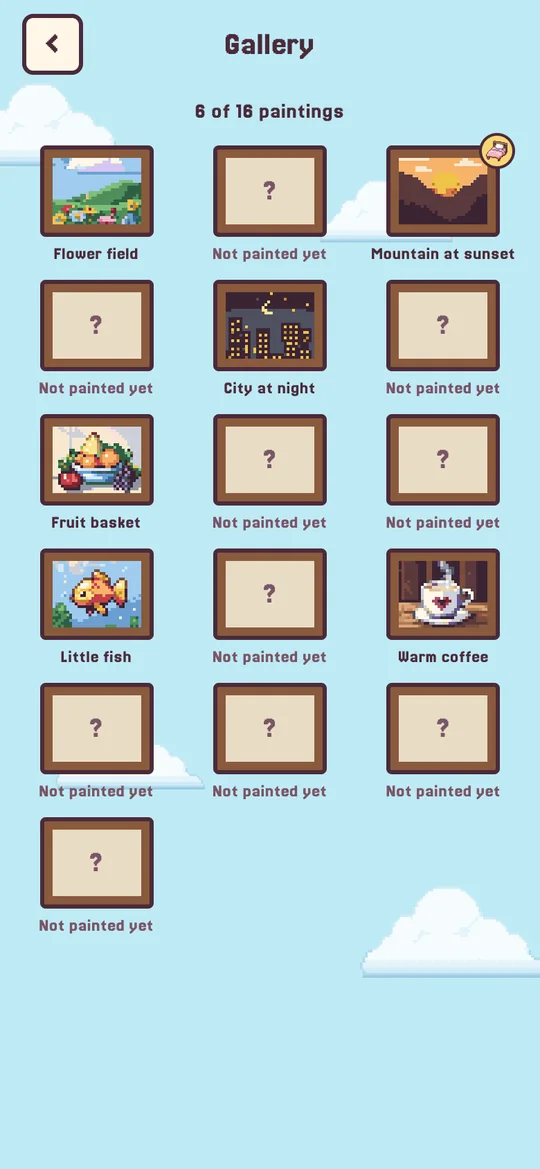
Gallery Your paintings, ready to hang in a frame. -
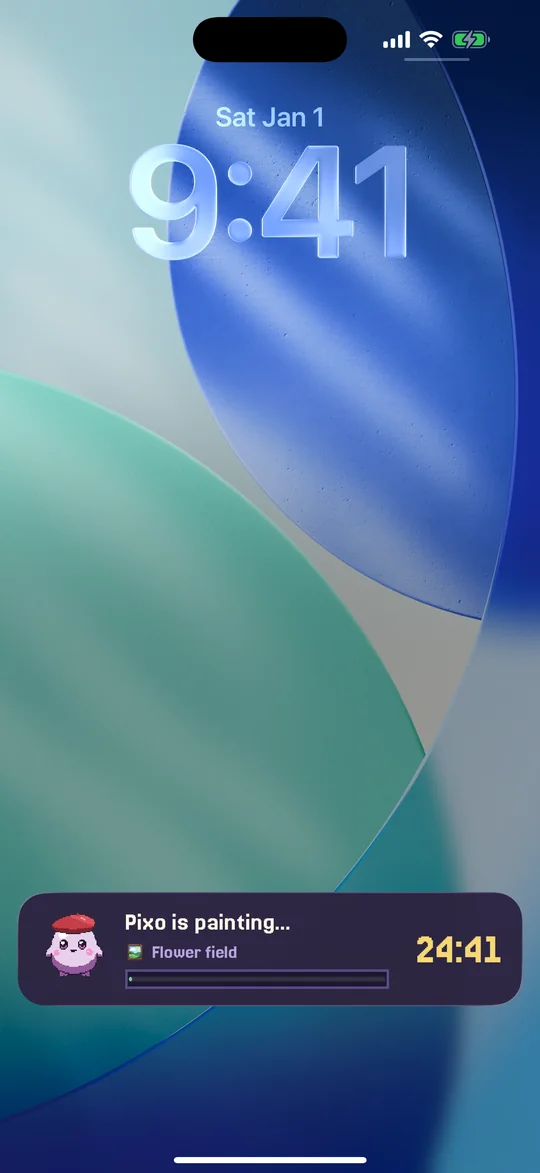
Live Activity Your session on the Lock Screen and in the Dynamic Island.
Highlights
-
6 rooms
Bedroom, kitchen, garden, living room, bathroom and studio, with more than 100 decorations.
-

12 colors and 14 hats
Name your critter and choose its color, hat and accessories. Some come in optional packs.
-

Widgets and Live Activity
Today’s minutes and your streak on the Home Screen and Lock Screen; your session in the Dynamic Island.
-
10 languages
English, Portuguese, Spanish, French, German, Italian, Japanese, Korean and Chinese (Simplified and Traditional).
-

No account, no ads
Open the app and focus. No sign-up, no ads and no tracking.
-
Your data stays on your iPhone
Your progress is saved only on the device, with a backup file that you keep.


Focus Atelier Pro
Optional, for anyone who wants more time, more paint and more detail.
 Focus sessions of up to 6 hours (up to 2 hours without Pro)
 Golden paint: 1 drop every 10 minutes, for special decorations
 Triple paint, if you want it
 Tags with your own names and colors
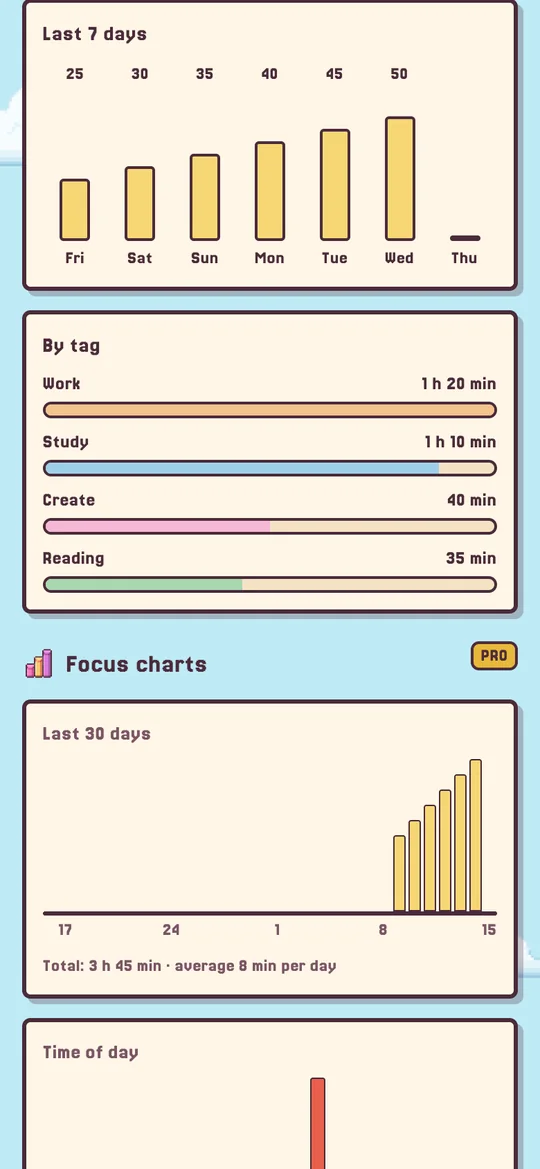
- Charts: last 30 days, time of day and day of the week
-
Monthly
from $4.99 per month
-
Yearly
from $29.99 per year
3-day free trial -
Lifetime
from $49.99
Pay once · yours forever
Reference prices in the U.S. App Store. The final price is shown in the App Store and varies by country. Subscriptions renew automatically unless canceled at least 24 hours before the end of the period; the free trial is for eligible new subscribers. See the Terms of Use.
Frequently asked questions
-
Why did the painting get smudged?
If you leave the app for more than 10 seconds mid-focus, or pick up the phone and don’t put it down within 10 seconds, the painting gets smudged: the session stops and earns no paint. Stopping before the end does the same. During the first 10 seconds you can cancel without losing anything.
-
How do I earn paint?
By focusing. Each minute of a completed focus session is worth 1 drop of paint, and sessions of 45 minutes or more earn 20% extra. Paint buys decorations, colors and hats.
-
What does Focus Atelier Pro include?
Focus sessions of up to 6 hours (up to 2 hours without Pro), golden paint for special decorations, optional triple paint, tags with your own names and colors, and focus charts (last 30 days, time of day and day of the week). You can get it monthly, yearly or as Lifetime (pay once, yours forever).
-
How does the free trial work?
The yearly plan may start with 3 free days. Nothing is charged during the trial. If you don’t cancel at least 24 hours before it ends, the yearly subscription is charged when the trial ends. The App Store decides who’s eligible: usually one trial per Apple Account. Details are in the Terms of Use.
-
Does my data go to the cloud?
No. There’s no account and no server of ours: your progress stays on your iPhone. Only the purchase records go through Apple and RevenueCat, with an anonymous ID (see the Privacy Policy). To avoid losing anything when you switch phones, use Settings › Backup › Export file.
More answers on the Support page.
Ready to paint?
Download Focus Atelier for free and start your first session.
Available on the App Store